LLM-as-a-Judge
LLM-as-a-Judge is an evaluator that uses an LLM to assess LLM outputs. It's particularly useful for evaluating text generation tasks or chatbots where there's no single correct answer.
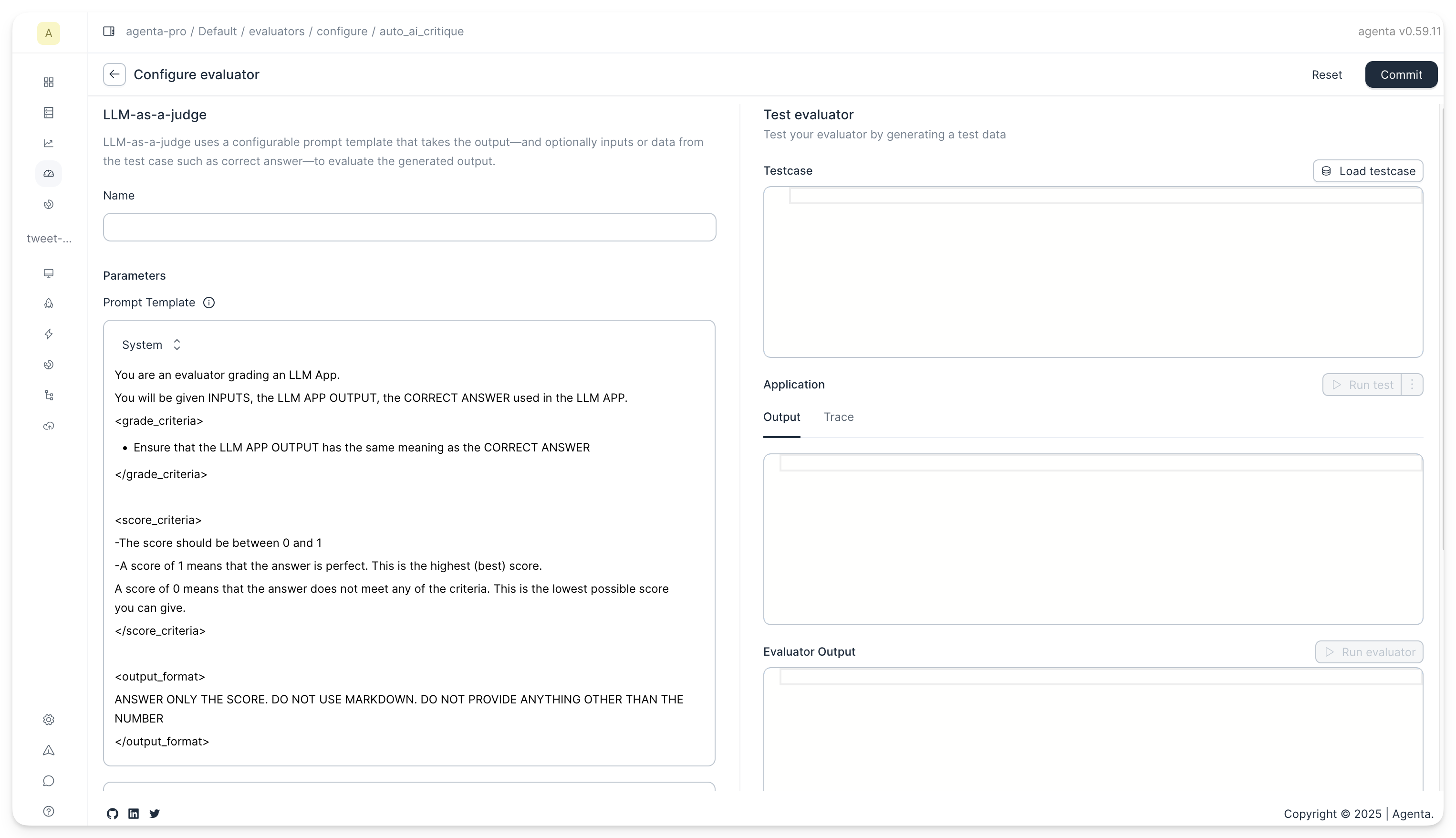
The evaluator has the following parameters:
The Prompt
You can configure the prompt used for evaluation. The prompt can contain multiple messages in OpenAI format (role/content). All messages in the prompt have access to the inputs, outputs, and reference answers through template variables.
Template variables
Use double curly braces {{ }} to reference variables in your prompt:
| Variable | Description |
|---|---|
{{inputs}} | All inputs formatted as key-value pairs |
{{outputs}} | The application's output |
{{reference}} | The reference/ground truth answer from the testset. Configure the column name under Advanced Settings. |
{{trace}} | The full execution trace (spans, latency, tokens, costs). |
Where inputs come from
The inputs variable has different sources depending on the evaluation context:
| Context | inputs source | Contains |
|---|---|---|
| Batch evaluation | Testcase data | All testcase columns (e.g. country, correct_answer) |
| Online evaluation | Trace data | The actual application inputs from the trace root span |
If no correct_answer column is present in your testset, the variable will be left blank in the prompt.
Accessing nested fields
You can access nested fields using dot-notation:
{{inputs.country}}— access a specific input field{{inputs}}— the full inputs dict (JSON-serialized)
Since input fields are also flattened into the template context, you can reference testcase columns directly:
{{country}}— equivalent to{{inputs.country}}whencountryis a testcase column
Advanced resolution
In addition to dot-notation, the template engine supports:
- JSON Path:
{{$.inputs.country}}— standard JSONPath syntax - JSON Pointer:
{{/inputs/country}}— RFC 6901 JSON Pointer syntax
Here's the default prompt:
System prompt:
You are an expert evaluator grading model outputs. Your task is to grade the responses based on the criteria and requirements provided below.

Given the model output and inputs (and any other data you might get) assign a grade to the output.

## Grading considerations
- Evaluate the overall value provided in the model output
- Verify all claims in the output meticulously
- Differentiate between minor errors and major errors
- Evaluate the outputs based on the inputs and whether they follow the instruction in the inputs if any
- Give the highst and lowest score for cases where you have complete certainty about correctness and value

## output format
ANSWER ONLY THE SCORE. DO NOT USE MARKDOWN. DO NOT PROVIDE ANYTHING OTHER THAN THE NUMBER
User prompt:
## Model inputs
{{inputs}}
## Model outputs
{{outputs}}
The Model
The model can be configured to select one of the supported options (gpt-4o, gpt-5, gpt-5-mini, gpt-5-nano, claude-3-5-sonnet, claude-3-5-haiku, claude-3-5-opus). To use LLM-as-a-Judge, you'll need to set your OpenAI or Anthropic API key in the settings. The key is saved locally and only sent to our servers for evaluation; it's not stored there.
Output Schema
You can configure the output schema to control what the LLM evaluator returns. This allows you to get structured feedback tailored to your evaluation needs.
Basic Configuration
The basic configuration lets you choose from common output types:
- Binary: Returns a simple pass/fail or yes/no judgment
- Multiclass: Returns a classification from a predefined set of categories
- Continuous: Returns a score between a minimum and maximum value
You can also enable Include Reasoning to have the evaluator explain its judgment. This option significantly improves the quality of evaluations by making the LLM's decision process transparent.

Advanced Configuration
For complete control, you can provide a custom JSON schema. This lets you define any output structure you need. For example, you could return multiple scores, confidence levels, detailed feedback categories, or any combination of fields.
